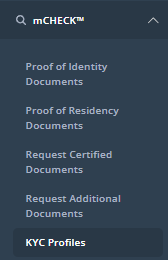
You can change the name match percentage of a KYC Profile by first going to the KYC Profiles screen, found under "mCHECK" in the sidebar:
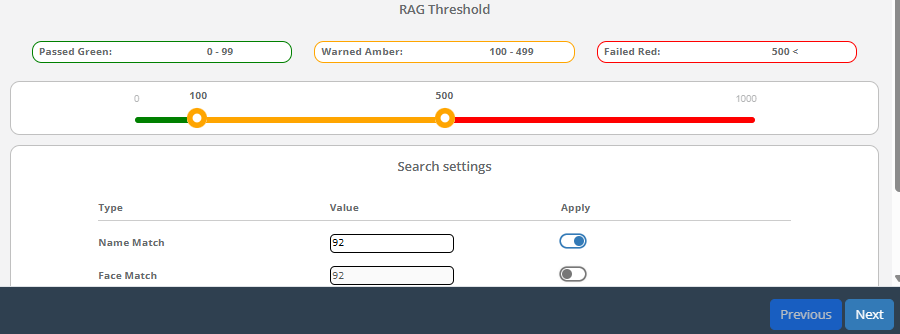
From there, click "Edit" on an KYC Profile. You can change the Name Match percentage on the pop-up screen that appears:
The Platform filters possible screening results on the basis of names and date of birth.
The higher the “Name Match” percentage (“Value”) set, the fewer “false positive” results you may receive (however, if set too high, it may reduce the chance of obtaining valid information on your client).
Be aware, that changing the name match % will have an impact on your search criteria i.e. Individual searches / corporate searches. All new Individual and corporate on-boardings will use the most recent name match % if updated on this KYC profile. It will also update the monitoring threshold % on your existing monitored clients as well. For example - If a client is monitored on 90% previously then after the name match update to 92% , all new on-boardings will start using the new name match % as 92 for both searches and monitoring (if client is green and added) along with It will also be updated on all your existing clients as 92% on this KYC profile. It is also important to remember that you will receive PEP/Sanction/Adverse Media monitoring alerts for name match 92% and above only. There is no impact on corporate monitoring alerts in this case.