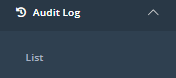
You can access your environment's Audit Log from the sidebar; click "List" under "Audit Log:"
The following information is available:
|
|
Element |
Explanation |
|
A |
Date and Time |
The date and time of the action logged. |
|
B |
Activity |
The type of activity logged. |
|
C |
Result |
The result of that activity (success/failure). |
|
D |
User |
The user that perfromed the logged action. |
|
E |
Institution |
The institution under which the logged action was performed. |
|
F |
Token |
The assessment linked to the action logged. |
|
G |
Target user |
The user for whom you made an action (for example, if you set a password for a different user). Only Admin level users can do this. |
You can filter the Audit Log by using the following fields:

Once you have selected your filters, click "Search" on the right hand side to find the results. You can also edit the number of visible results per page: